
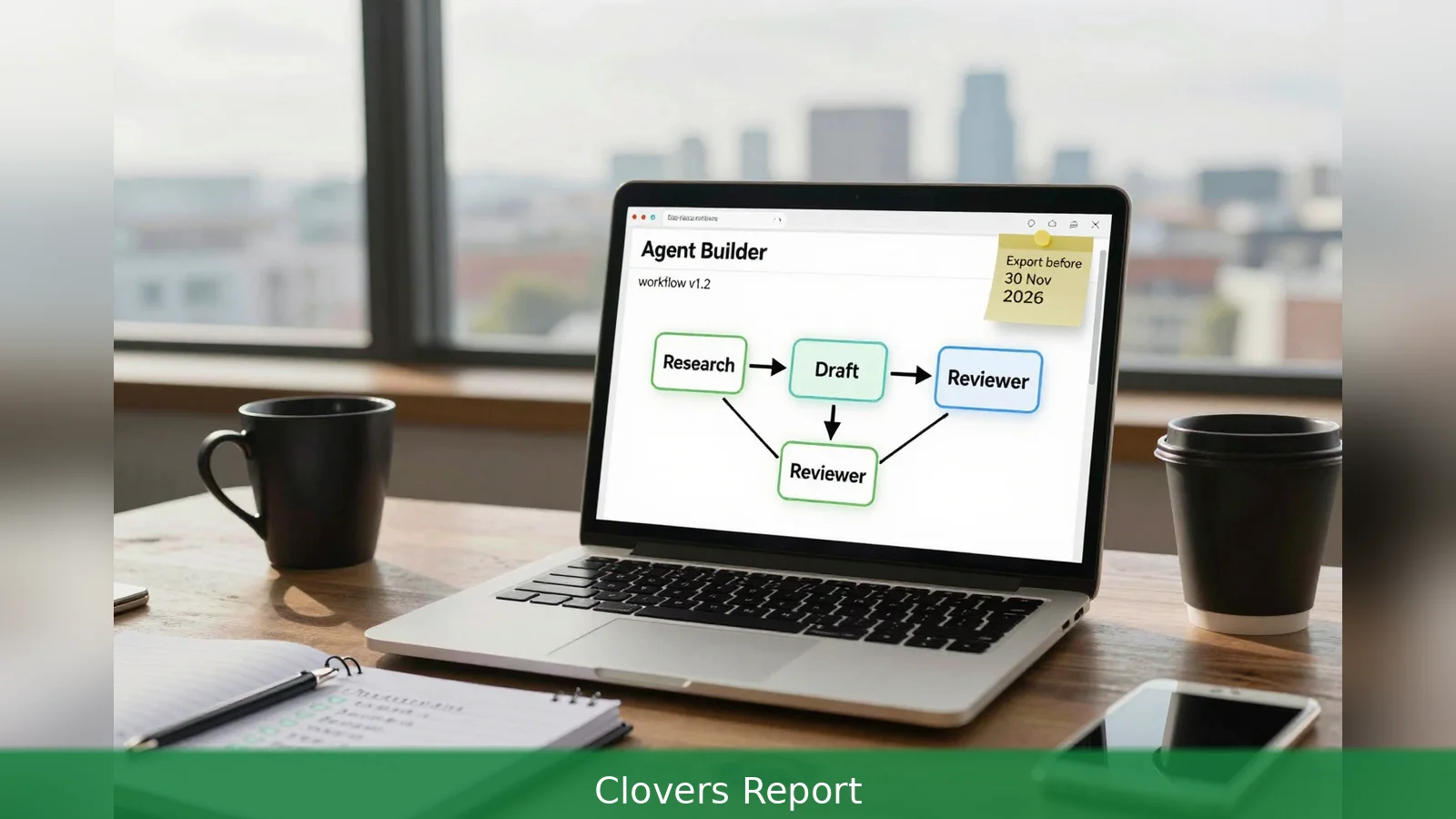
3 is the single most consequential figure for anyone building an OpenAI agent in 2026, because OpenAI reduces the process to three main actions: design a workflow, publish it as a versioned object, and deploy it via ChatKit or by running the Agents SDK yourself. Those three phases map to a practical path that takes you from account setup through a deployed multi-agent pipeline, using either the visual Agent Builder canvas or the code-first Agents SDK. The guide below synthesises OpenAI's Agent Builder documentation and leading 2026 community tutorials into the step-by-step routine a developer in Ireland can follow, including concrete commands, testing patterns, persistence choices and the costs you should model. One important caveat, flagged in the documentation, is that OpenAI is deprecating Agent Builder and scheduling its shutdown for November 30, 2026.
3 is the single most consequential figure for anyone building an OpenAI agent in 2026, and that fact shapes every technical and operational decision you will make. The platform distils agent work into three stages: design a workflow, publish that workflow with a workflow ID and version, and deploy it either through ChatKit or by running the Agents SDK in your own environment. Keep that sequence in your head as you move from local experiments to production traffic.
1. Prepare and provision
First, set up the account and the development environment the documentation requires. OpenAI's Agent Builder documentation makes two prerequisites plain: you need an OpenAI API key with access to contemporary production models such as GPT-4o or later, and a development environment running a modern Python. Community tutorials recommend Python 3.10 or newer; one tutorial specifies Python 3.12 or higher for examples that use newer async and typing features. For local work set the environment variable OPENAI_API_KEY, or configure equivalent credentials in whatever hosted environment you use.
Second, decide the route you will take: visual or code-first. The visual route runs inside OpenAI's Agent Builder canvas. It offers templates, drag-and-drop nodes, typed inputs and outputs, a Preview feature for live-data testing, and an autosave and publish workflow that returns a workflow ID and version. The code-first route runs against the Agents SDK, an opinionated Python package that exposes primitives such as Agent, Runner, Tool decorators, Handoff, Guardrail, and session helpers for persistence.
Third, pin your runtime dependencies and environment. Community tutorials show different release lines and recommend pinning package versions for reproducible installs. The practical response is to check PyPI or the official SDK repository, read the release notes for breaking changes, and run migration tests before locking a production dependency.
2. Build the agents, tools and guardrails
First, design the workflow. In Agent Builder a workflow is nodes and typed edges: each node exposes configuration for inputs and outputs so downstream nodes receive expected properties. The SDK mirrors that idea in code through Agent objects and explicit handoff primitives. Community patterns commonly split responsibilities across agents assigned to research, draft writing and review. That division keeps agent behaviour focused and simplifies validation.
Second, implement tools and handoffs. Tools are function-style integrations the model can call. Handoff primitives let one agent pass structured data to another, keeping the pipeline serialisable and testable. The SDK's public surface includes session helpers and handoff constructs for this purpose. For persistence, production agents need memory and session continuity. Official examples and tutorials show SQLite-based session stores as a supported pattern, and the Agents SDK includes an SQLiteSession helper in its public surface according to the SDK tutorial.
Third, add guardrails and grading. Guardrails and graders are first-class concepts. Agent Builder supports trace graders for evaluating runs; the SDK provides Guardrail objects to enforce structured outputs, stop conditions or validation checks. Community examples wire a Reviewer Agent to validate length, citation format or redaction rules before publishing an output. Those checks are the documented defence against common risks such as prompt injection and data leakage, and they're the mechanisms OpenAI highlights in its safety-in-building-agents guidance.
Worked example: give one agent the Research role to gather facts, another the Draft role that calls a Fact-Check tool, and a Reviewer Agent with a Guardrail object that enforces a JSON schema for citations and a grader that rejects outputs missing required redaction markers. Handoffs pass a structured JSON payload between agents and the SQLiteSession helper stores trace IDs for each run so you can replay or audit execution later.
3. Test, publish and deploy
First, test locally. Agent Builder provides an interactive Preview to run workflows with sample files and observe each node's execution. On the SDK side run local Runner.run loops that orchestrate handoffs and tool calls. Community tutorials recommend integrating Sentry-style tracing to capture prompts, token usage, tool calls and errors. A separate SDK tutorial documents streaming runs behind FastAPI for client consumption; community examples show a streaming FastAPI endpoint that proxies Runner events to clients and hooks Sentry for observability.

Second, publish the workflow. When you publish from Agent Builder the platform issues a workflow ID and version. That versioned object is the canonical artefact you ship to production or embed in a chat. Publishing preserves the typed inputs and outputs and the trace grading configuration so you can test specific versions against regression tests.
Third, choose your deployment path. You can embed the published workflow into a chat experience using ChatKit, or you can download SDK code and deploy the workflow behind your own API gateway. For production that needs voice, realtime or larger orchestration, the SDK documents integrations with the GA Realtime API and hosted MCP servers. For local or hybrid runs LiteLLM adapters make other models available. The Agents SDK is provider-agnostic in that sense, but OpenAI documentation and many tutorials default to the Responses API for cost and convenience because it keeps server-side message history.
Worked example: publish a workflow, then either 1) wire the workflow ID into ChatKit for a hosted chat front end, or 2) download the SDK workflow, run a FastAPI service that proxies Runner events as a streaming endpoint, and add Sentry tracing and the SQLiteSession store for persistence. The two paths produce different operational footprints and different security considerations.
4. Monitor, cost and governance
First, instrument runs. Use trace graders and Sentry-style tracing to capture prompts, token usage, tool calls and errors. The Agent Builder Preview and graders let you iterate on trace sets before a wide release. The SDK approach calls for Runner instrumentation and standard APM tooling; streaming runs behind FastAPI are a common pattern in the community.
Second, model your costs. Token consumption and pricing vary by model. Community estimates put a typical three-agent pipeline run at a cost driven by thousands of tokens. Model pricing varies and is quoted per 1M tokens. Treat any published figure as a planning number and validate against current price sheets before projecting operating cost. Also factor in extra costs for Realtime API usage, MCP server hosting and any external data connectors.
Third, apply governance. OpenAI's documentation calls out risks such as prompt injection and data leakage and directs builders to the safety-in-building-agents guidance. Tutorials converge on the same measures: guardrails, trace graders and reviewer agents that validate outputs before exposing them to end users. The SDK supports structured outputs and Guardrail objects to enforce typing and validation, and Agent Builder's Preview and grading features are the documented ways to instrument and evaluate workflows during development.
Worked example: adopt a run policy that requires 1) every new workflow version to pass a trace grader suite that includes prompt-injection tests, 2) Sentry alerts for unexpected tool calls or schema violations, and 3) a nightly job that exports recent SQLiteSession traces for audit and retention policy checks.
There are a few operational wrinkles the community flags. One is dependency pinning. As noted above some tutorials pin different release lines. Confirm the exact package and release notes on PyPI or the official SDK repository before pinning, and run migration tests if you inherit an earlier codebase.
Another is cost transparency. Cost estimates in community tutorials are illustrative rather than authoritative.
The Responses API and GA Realtime API pricing vary, and token accounting changes with model choice. Treat any published figure as a planning number and validate against current price sheets.
Finally, product lifecycle matters. The OpenAI documentation notes that Agent Builder is being deprecated and provides a deprecation timeline. The documentation schedules Agent Builder to shut down on November 30, 2026, while ChatKit remains available. That timetable should shape both short-term experiments and long-term architecture: publish versions, keep exports of workflow definitions, and prefer deployment patterns that can be rehosted if the hosted canvas is retired.
Worked example: when you publish a workflow, download the SDK representation and store it in your version control system. That gives you a migration path off Agent Builder before the November 30, 2026 shutdown, and it makes third-party audits and compliance reviews simpler.
In short, the three-phase pattern makes engineering decisions predictable: 1) provision accounts and pick a route, 2) construct agents, tools and guardrails with SQLiteSession persistence for traceability, 3) test, publish and choose ChatKit or self-hosted deployment while modelling token-driven costs.
Related Articles
- AI Advantage: 8 steps to scale without hiring
- Interactions API GA: 7-step guide for builders
- Best Buy's free 55-inch TCL Q6: when the US bundle makes sense for Irish buyers
Agent Builder will shut down on 30 November 2026; export workflow versions now and have a self-hosted SDK deployment plan ready well before that date.
This article was created with AI assistance.


